Sketch it.
Share it.
Step inside.
Arkio turns sketches, words and floor plans into real 3D designs, with an AI agent that models alongside you. Share a link to shape it together, then walk through it before anything is built.
 2 floors courtyard

 open this up island? big glass doors ~96 m²


Trusted by architects, engineers and educators at


Start with whatever you have.
A napkin sketch, a few sentences, a photo, a floor plan, a room program or an existing model. Mix them in one conversation and the agent turns them into a 3D design you can build on.
A pencil sketch
Snap a photo of the back of an envelope. Rough is fine.
A few sentences
Describe the space the way you would to a friend.


Reference images
Show the mood, materials or style you are after.

A floor plan
Upload a drawing or a PDF and watch the rooms rise.
A space program
Paste your area schedule. The agent does the stacking.

An existing model
Bring in your Revit, Rhino, SketchUp, Archicad or Navisworks model for context.
Works for a kitchen, a family house or a city block.
Simple enough for anyone. Powerful enough for architects.
Most design software makes you choose between easy and capable. Arkio is both: the agent handles the hard part, and you stay free to shape everything.
No installs. No training. No modeling.
Real geometry. Real numbers. Real handoff.
Already have a model? Bring it in.
Open your SketchUp, Revit, Rhino, Archicad or Navisworks model and review it together. The agent assists with design reviews too.
- Ask the agent to find and highlight things, like every door or every room over 30 m²
- Turn layers on and off, and add notes where they matter
- Run checks on the model, like corridor widths or stair headroom
- Optimize layouts and plans together with the agent, using movable objects from our Revit, Rhino, SketchUp and Archicad plugins
- Try new options on top of your model, or ask for whole new versions of it

Ideate, collaborate and experience, without switching tools.
Most tools do one of these. Arkio does all three on one live 3D model, so nothing gets lost between the idea, the conversation and the walkthrough.
Explore ideas without modeling a thing.
Describe what you want and watch the agent build it in 3D, live. Ask for alternatives, compare them side by side and keep the one that works. Hands-on when you want, hands-off when you don't.
- Options on demand, not just one answer
- Follow the agent as it models, from any angle
- Nothing is baked: every change can be undone


One link. Everyone inside the same model.
Send a link and anyone can join from a browser: your team, your client, your consultants. Work on it together live or leave comments for later, with the agent on hand for everyone.
- No installs, no file versions to chase
- Live co-design and threaded comments
- Hand off to Revit, Rhino or SketchUp when you're ready
Experience the unbuilt.
Walk through your design at human scale in the browser, on a computer, an iPad or a phone. Every view can become a render or a film that stays true to your model.
- First-person walkthroughs on web and mobile
- Live render, AI renders and AI video
- VR version of Arkio 3.0 is coming soon


Beautiful renders. Walkthrough films. Live as you design.
Every image and film comes from your real 3D model, so it shows the design you actually have, at its actual size. Most AI render tools start from a flat picture and fill in the gaps.


Live render: see the finished look while you work.
Switch it on and the view is rendered as you design, and as the agent designs. Change a window, a material or a whole wing and see how it will really look.
- Updates as you and the agent edit
- Any style, from photoreal to pencil
- Grab a still or a film whenever you like
From a prompt to a finished render.
Made in Arkio 3.0.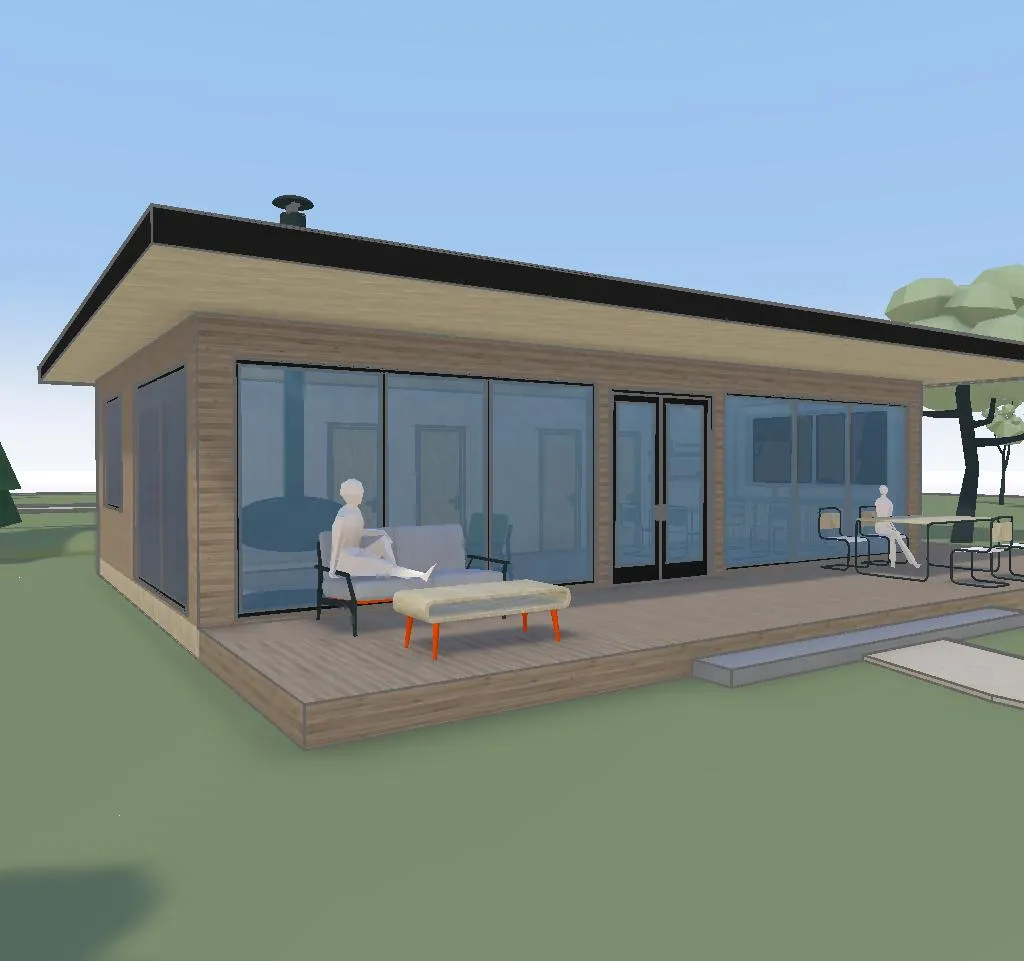

One model, any style, any angle.
How AI rendering works Photoreal · aerial
 Photoreal · street
 Pencil
 Watercolor
Four renders of one Arkio model: the same massing, openings and neighbours in every view.
Where designs start.
Arkio is where ideas take shape and the big decisions get made, early, while changes are still cheap. When you're ready for detail, hand a clean 3D model to the tools your team already uses.
Made for everyone who shapes a space.
Whether you design buildings for a living or you're planning your own kitchen, Arkio meets you where you are.

Architects & designers
Get from brief to a convincing concept faster. Explore options with the agent, win the room, then hand off to Revit.
Arkio for architects
Project teams & clients
Get owners, consultants and contractors aligned early. Review together at full scale and decide before changes get expensive.
Arkio for project teams
Homeowners & renovators
Planning a kitchen, an extension or a garden studio? Sketch it, see it and show your architect or builder exactly what you mean.
Arkio for your homePowered by FlexCell.
Our volumetric modeling engine, built from the ground up so people and AI agents can design together on any device.
City-scale context, still fully editableWhat design teams say.
Arkio feels playful and simple, but it enables serious immersive collaboration. Whether with clients, communities, or our own teams around the world, it helps us make better design decisions together.
 Anna MytculVisualization Specialist, KPF London
It just works! Arkio seems designed to be used and is easy to learn.
 Marius JablonskisDigital Transformation Leader, Norconsult
Being able to step inside the model together helps teams reach alignment faster and gives stakeholders a clearer understanding of the design.
 Abby ColemanInnovation Extended Reality Specialist, IMEG
What will you design first?
Describe it in a sentence. The agent takes it from there.
AI credits required · Runs in your browser · No 3D skills needed